
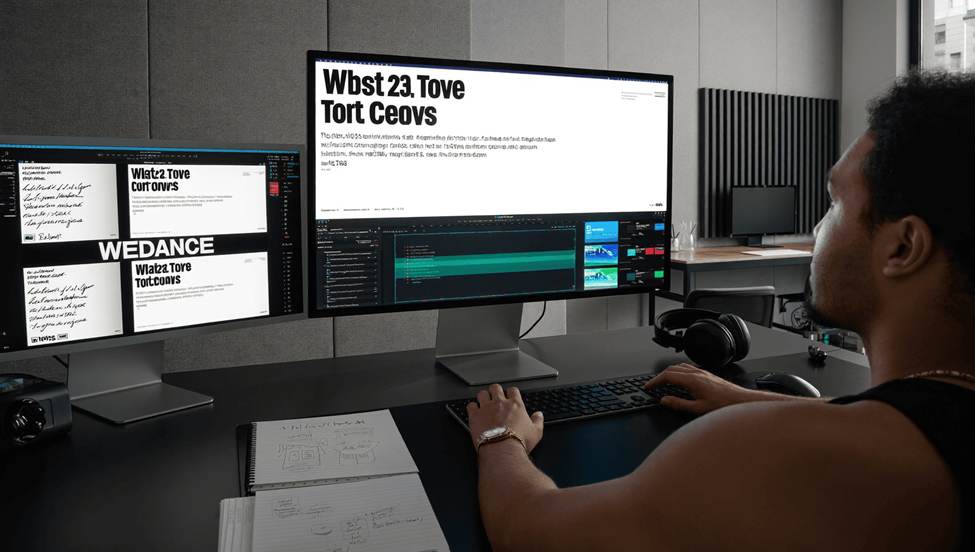
You spend an hour on a video and the first comment asks what it said.
Somebody watched it on a phone, on a train, with the sound off, and the caption you placed at the bottom of the frame was sitting underneath the platform’s own interface. They saw moving footage and half a word.
That happens constantly and almost nobody checks for it, because the person making the video is watching it in an editor on a desktop where nothing covers anything.
The short video is overwhelmingly muted. Which means the text is not a supporting element. It is the message, and everything about how it is placed, sized and timed decides whether the message arrives.
Seedance 2.5, ByteDance’s video model, handles the video production side. Higgsfield makes it easier to explore AI video creation, but platform text guidelines must come first.
Why is muted viewing the default?
Because of where people watch, and it has been true for years.
Short video is consumed in public, in bed, at work, and on devices where sound is either inconvenient or embarrassing. Platforms know this, which is why they build autoplay around silent viewing.
What follows from it:
- Nothing can depend on audio, including any spoken explanation
- The first frame has to work alone, since a muted autoplay gives you that and little else
- Text carries the narrative, not just emphasis
- Music becomes decorative, which changes how you choose it
Creators who build for sound-on consistently underperform creators who build for sound-off and treat audio as a bonus. The second group is making the same video for a larger audience.
Where do platforms hide your text?
Under their own interface, in places that differ by platform and change without notice.
Every vertical video platform overlays elements on the frame. The creator handle, the caption, the sound attribution, the action buttons down one side, and whatever promotional element is current.
Roughly, across the major vertical formats:
- The bottom portion carries the caption and account information, frequently a substantial band
- One side, usually the right, carries the action buttons
- The top may carry navigation or a progress indicator
- The corners are unreliable across devices
What that leaves is a central area you can trust, considerably smaller than the frame you are editing in.
The practical rule is to keep anything essential well inside the middle. Not because the edges are forbidden, but because what covers them varies by platform, by app version and by whether the viewer has a notch.
Check on an actual phone in the actual app before publishing. The editor will never show you this.
How long does text need to stay on screen?
Longer than feels right while you are editing it.
You know what your own text says, which makes it feel like it has been up forever. A viewer is reading it cold while also watching whatever is moving behind it.
A workable approach:
- Count the words and allow roughly a third of a second each as a minimum
- Add time for anything unfamiliar, including names, numbers and technical terms
- Never cut on the last word, which means the viewer stops reading mid-sentence
- Fewer words rather than longer duration, which solves it more reliably
- Read it aloud at a normal pace, which approximates reading speed closely enough
The most common failure is too much text held too briefly. Cutting the words in half fixes more videos than extending the timing does.
And remember that people rewatch short videos. Text that is slightly too fast on a first pass may be fine if the piece loops, which is why the final frame matters.
What makes text legible over moving footage?
Contrast, and it is harder than over a still image because the background changes.
Text that reads perfectly over one second of footage disappears over the next, which is why so many captions become briefly invisible.
What helps:
- A solid or semi-transparent block behind the text, which is unglamorous and reliable
- A consistent position, so viewers know where to look rather than hunting
- Heavy weights, since thin type disappears over texture
- A subtle outline or shadow, enough to separate without looking cheap
- Choosing calmer Higgsfield footage for the sections carrying the most text
Seedance 2.5 is genuinely useful here because you can produce footage designed to sit behind text, with the movement and the busy detail kept away from where the words go.
A Seedance 2.5 brief like that is different from producing something attractive on its own, and it is the one that matters for text-led video.
What about captions and accessibility?
Separate from your on-screen text and more important than most creators treat it.
Platform captions serve viewers who need them, and auto-generated ones are unreliable in specific ways.
What auto-captions get wrong:
- Names, almost always
- Technical terms and jargon, consistently
- Accented speech, which varies enormously by platform
- Numbers and figures, frequently
- Anything said quickly or over background noise
Review them every time. It takes a minute and the alternative is a caption that says something you did not say, which for anybody relying on it is the whole video.
Burned-in text and platform captions do different jobs. The first is design, the second is access, and a video with stylish on-screen text and no captions is still inaccessible.
Where does Seedance 2.5 fit?
In producing footage built for text rather than footage you then put text on.
- Seedance 2.5 backgrounds designed around a text area, with the movement kept to the edges
- Seedance 2.5 atmosphere for quote and statement videos, which are entirely text-led
- Seedance 2.5 transitions between sections, giving a video structure without wasted seconds
- Seedance 2.5 openings that establish a look in the first frame, which is what autoplay shows
- Loop-friendly Seedance 2.5 endings, so a rewatch does not jar
Seedance 2.5 produces around thirty seconds in one continuous pass, which covers most short-form pieces without assembly.
Higgsfield runs it in a browser, which matters when you are making this on a phone or a laptop between other things.
What it does not do is write the words, which remain the entire point.
Does styled Unicode text work in video?
Partly, and there is a device issue worth knowing before you rely on it.
Styled characters copied into captions, descriptions and on-screen text render differently across devices and operating systems. A font style that looks right on your phone can appear as empty boxes on somebody else’s, depending on what their system supports.
There is a second consideration. Screen readers interpret those characters individually rather than as the letters they resemble, which means anybody using assistive technology hears nonsense rather than your caption.
Practical positions:
- Burned-in text in the video is reliable, since it is pixels rather than characters
- Styled Unicode in a caption or bio works for many viewers and fails for some
- Keep essential information in plain characters
- Use styling for emphasis rather than for the message itself
None of that means avoiding styled text. It means not putting the things people need to read into a format some of them cannot receive.
Does the first frame matter more than the rest?
Considerably, and it is the asset most creators never think about separately.
The first frame is what appears before autoplay starts, what shows in a grid, and what a viewer sees in the fraction of a second that decides whether they stop. On most platforms it is also selectable, and almost nobody selects it.
What a good opening frame does:
- Says what the video is about, in text, legibly
- Shows a face or a clear subject, which stops scrolling better than anything abstract
- Works at thumbnail size, since that is where it frequently appears
- Avoids the busiest footage, which reads as noise when static
- Matches the video, because a mismatch reads as bait
The grid consideration matters for anybody building a profile. A creator’s grid is seen as a set, and first frames that share a treatment make an account look deliberate rather than accumulated.
A Seedance 2.5 opening designed as a still as well as a moving frame solves both at once, which is worth the extra minute.
Set it deliberately rather than letting the platform pick frame zero, which is usually a blur.
What should never be produced this way?
Anything claiming to be real.
- Never point Seedance 2.5 at people and present them as yourself, your team or your customers
- Never produce footage of a place you are describing as somewhere you went
- Never fabricate results, including engagement figures or outcomes
- Never generate a product you are selling or recommending
- Never imply an endorsement that does not exist
For creators specifically, the risk is to the thing that makes the account work. An audience follows a person, and material that turns out to be invented damages the relationship more than it damages any individual post.
Seedance 2.5 backgrounds behind your own words are fine and nobody minds. Produced versions of you are a different proposition entirely.
How do you test a video before posting?
On a phone, in the app, with the sound off, which takes ninety seconds.
- Upload the Higgsfield export as a draft and view it in the actual app
- Watch it muted from the start, as a stranger would
- Check the edges for anything the interface covers
- Read every text frame at normal pace to see if it holds long enough
- Watch the loop point, since short video repeats
- Hand it to somebody and ask what it said
That last one is brutal and useful. If they cannot tell you the message, no amount of production fixes it.
Most creators skip this because the video is finished and posting feels like the end. It is ninety seconds and it catches the errors that waste the hour you already spent.
Build it into the habit rather than treating it as an extra step. The videos that underperform are rarely bad videos, and are frequently good ones nobody could read.
What would one video take?
Half an hour, with most of it on the words.
- Write the text first, in as few words as possible
- Decide where it sits before opening Higgsfield, well inside the safe area
- Produce the background in Seedance 2.5, designed around that space
- Time each frame generously, reading aloud to check
- Add platform captions to the Higgsfield cut and review them for errors
- Test on a phone in the app before publishing
Then keep the Higgsfield treatment so the next one takes fifteen minutes rather than thirty.
The words are the slow part and should be. Everything else is assembly.
FAQ’s
Why does on-screen text get cut off?
Platform interface elements cover the edges of the frame, and what covers what varies by app and device. Keep anything essential well inside the middle.
How long should text stay on screen?
Roughly a third of a second per word as a minimum, longer for names and numbers. Cutting the words in half usually works better than extending the duration.
Does styled Unicode text work everywhere?
Not reliably. It renders as boxes on some devices and reads as nonsense to screen readers. Keep essential information in plain characters.
Can Seedance 2.5 produce a person for a video?
Not one presented as you or anybody real. Produced backgrounds behind your own words are fine.
Are auto-captions good enough?
No. They get names, jargon, accents and numbers wrong consistently. Review them every time.
Is there a free way to try this?
Higgsfield operates a free tier as part of an AI creative suite, which covers producing a background set before committing to anything.
Conclusion
Short video is watched silently, which makes the text the entire message rather than a decoration on top of one.
Seedance 2.5 produces footage built around where the words go, which is a different thing from footage you then cover with words and hope.
Write fewer words, hold them longer, keep them away from the edges, and check it on a phone before you post. That is most of it, and almost nobody does the last part.